> ## Documentation Index
> Fetch the complete documentation index at: https://docs.paxos.com/llms.txt
> Use this file to discover all available pages before exploring further.
# Manage Devices
> View, rename, and remove devices that have signed in to your Dashboard account, and lock your account if you spot an unrecognized device.
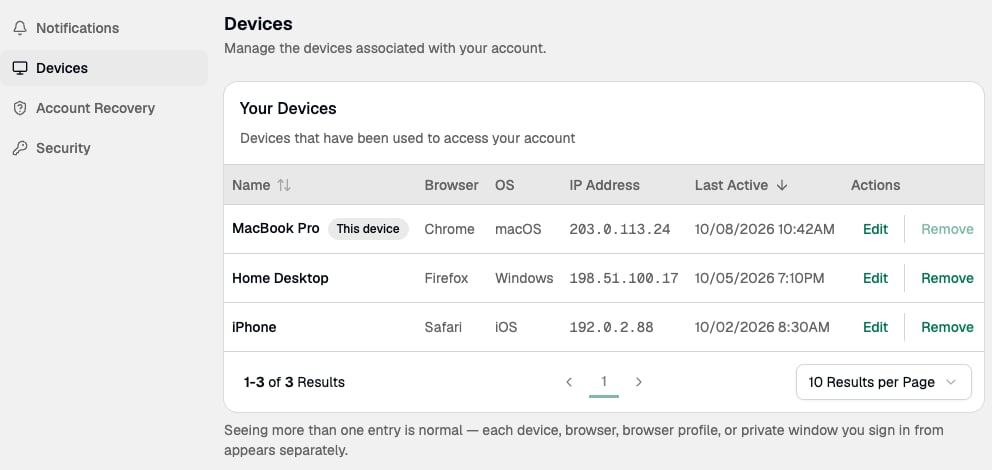
The Dashboard tracks each device you use to sign in to your account.
Go to **Settings > Devices** to view and manage your registered devices.
 ## How devices are registered
Paxos creates a new device entry each time you sign in from:
* A new device.
* A new browser.
* A new browser profile, including Incognito mode or similar private browsing modes.
## Rename a device
1. Go to **Settings > Devices**.
2. Find the device you want to rename and enter a new name.
Each device name must be unique. You can't give two devices the same name.
## Remove a device
1. Go to **Settings > Devices**.
2. Find the device you want to remove and remove it from the list.
## New device notifications
When Paxos registers a new device on your account, you receive:
* A notification in the Dashboard.
* An email with a **Secure my account** link.
## How devices are registered
Paxos creates a new device entry each time you sign in from:
* A new device.
* A new browser.
* A new browser profile, including Incognito mode or similar private browsing modes.
## Rename a device
1. Go to **Settings > Devices**.
2. Find the device you want to rename and enter a new name.
Each device name must be unique. You can't give two devices the same name.
## Remove a device
1. Go to **Settings > Devices**.
2. Find the device you want to remove and remove it from the list.
## New device notifications
When Paxos registers a new device on your account, you receive:
* A notification in the Dashboard.
* An email with a **Secure my account** link.
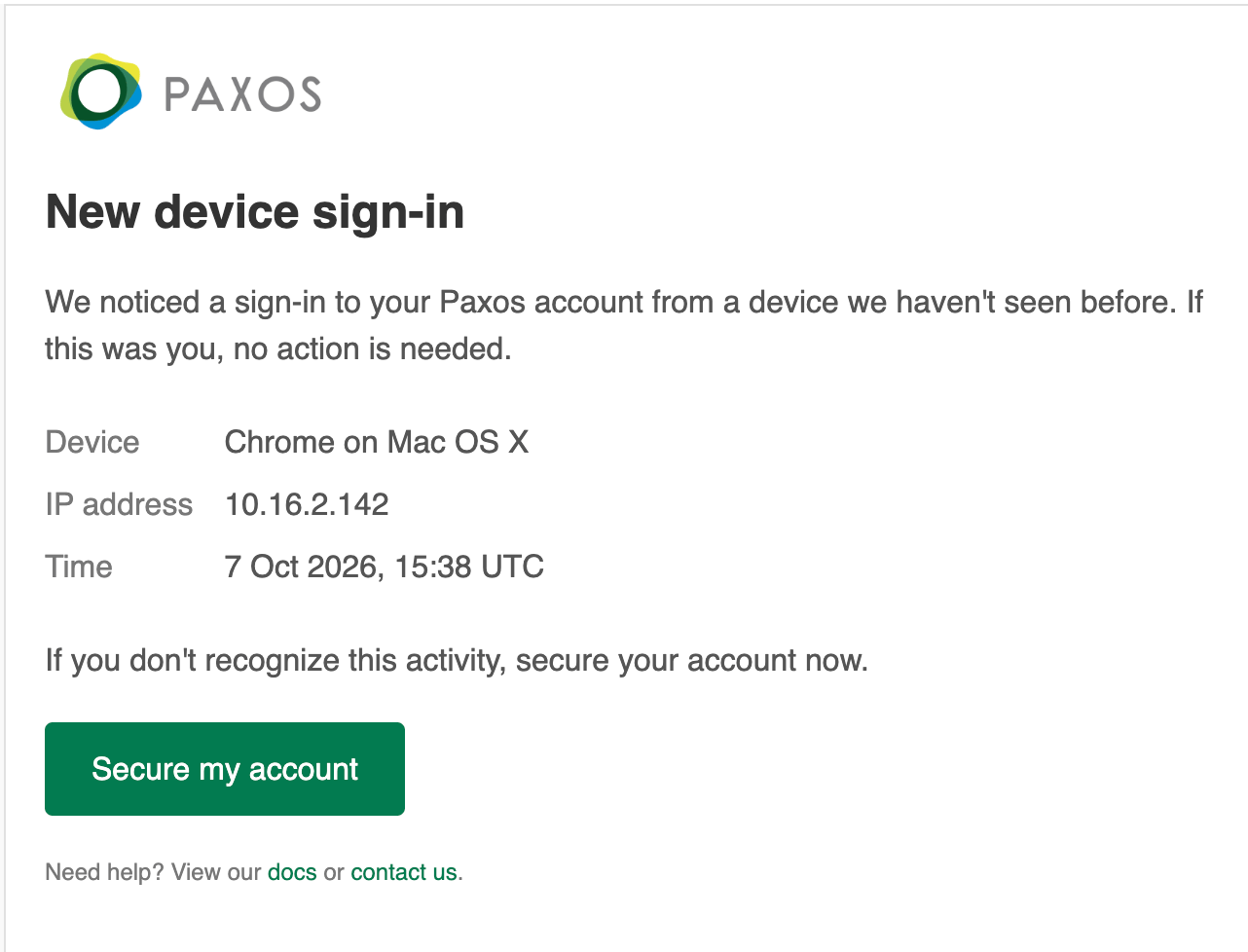 If you don't recognize the device, use the **Secure my account** link in the email to lock down your account.
The **Secure my account** link is valid for 24 hours. If you think your account has been compromised and the link has expired, contact [Paxos Support](https://support.paxos.com).
## Lock your account
Locking your account signs you out of all sessions on every device and disables your user.
If you don't recognize the device, use the **Secure my account** link in the email to lock down your account.
The **Secure my account** link is valid for 24 hours. If you think your account has been compromised and the link has expired, contact [Paxos Support](https://support.paxos.com).
## Lock your account
Locking your account signs you out of all sessions on every device and disables your user.
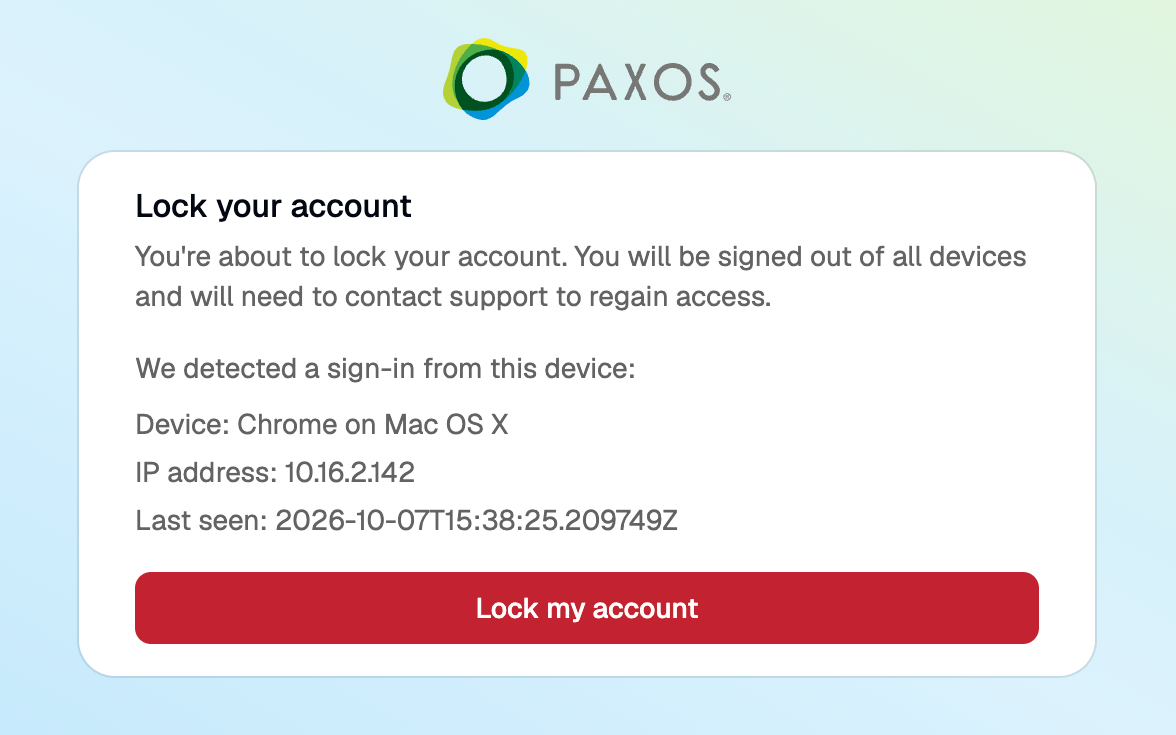 After you lock your account, you can't sign in until access is restored. To regain access, contact an admin in your organization or [Paxos Support](https://support.paxos.com).
> Questions? Contact [Support](https://support.paxos.com).
After you lock your account, you can't sign in until access is restored. To regain access, contact an admin in your organization or [Paxos Support](https://support.paxos.com).
> Questions? Contact [Support](https://support.paxos.com).